It started as one thing. I wanted an air mouse — driving a
PC from a phone over RDP means toggling between touch and pointer mode forever,
and I wanted a physical thing that simply pointed. Everything else here arrived
after that.
Things I would actually reach for.A clock, a timer, a
recorder for meetings, a calculator, the F-keys a phone keyboard does not
have. Not a tour of what the hardware can do.
No voice, no chatbot.The demos written for this board lean
on voice assistants and LLM chat. On a 1.75-inch screen with no keyboard I
would use that twice and never again, so none of it is here.
Some of it is just taste.The water, the orbs and the games
are not useful and are not pretending to be. They are in because I like
them.
And the power.None of Waveshare's own ESP-IDF examples turn
on CONFIG_PM_ENABLE or tickless idle, and the one example that
shuts down the twelve unused AXP2101 rails is not the path the board support
package takes — so a build started from them leaves the CPU awake and a
dozen regulators switching into nothing. Here the panel is really switched
off rather than covered, the chip light-sleeps between frames, and two rails
are left standing. Together those took standby from 11.9 hours on a charge to
19.6.
Both of those are measurements of this firmware, before and after
that work — the firmware the board shipped with was never put on a
meter here. The claim about the examples is about their published source,
which anyone can check.
What it does
Open-source firmware for the Waveshare
ESP32-S3-Touch-AMOLED-1.75C — a 466 × 466 circular AMOLED in a
milled aluminium case, with a touch panel, an accelerometer and a gyro.
It is meant to be worn, so the default orientation is turned 180°: put it
on a strap and the panel's own top ends up pointing down your arm, and that
rotation is what leaves the screen the right way up on a wrist.
Trackpad & Air Mouse
Bluetooth HID. Use the face as a touchpad, or lift it off the desk and
point — the gyro drives the cursor from there.
Excel keys
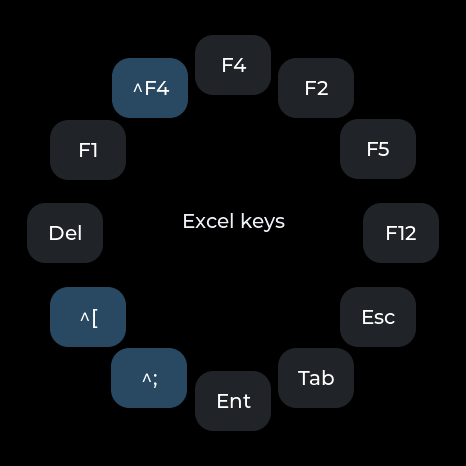
A phone's soft keyboard has no F keys, which is the real reason an Excel
formula cannot be touched over RDP from a phone. Twelve of them in a ring,
fired over the same Bluetooth link.
Calc
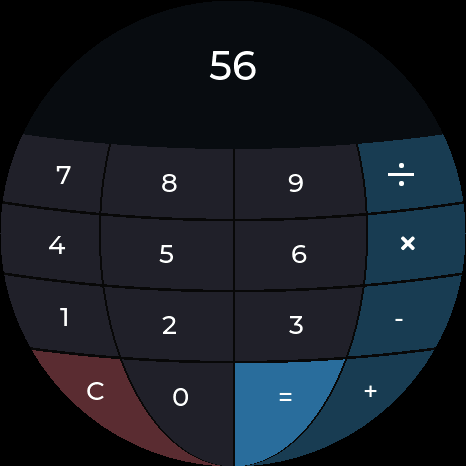
A 4 × 4 grid loses its corners on a round screen, so the digits
stack in three columns down the middle and the operators take the left and
right flanks — which is where the room actually is.
Water
380 particles of smoothed-particle fluid in a round tank, run by the
accelerometer, with a boat that rides whatever surface they make. Tilt it
and it pours.
Orbit
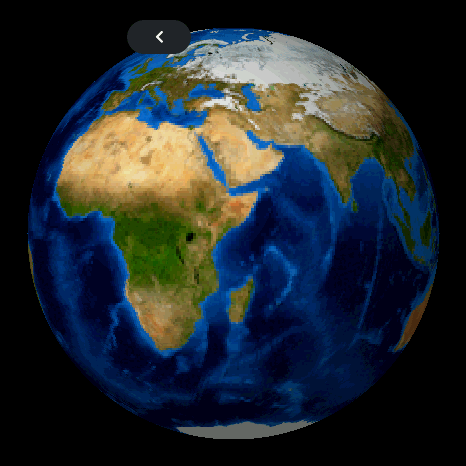
The Moon, the Earth, Jupiter and the Sun, turned by hand. The maps are
NASA imagery; delete them and each body falls back to being drawn in
code.
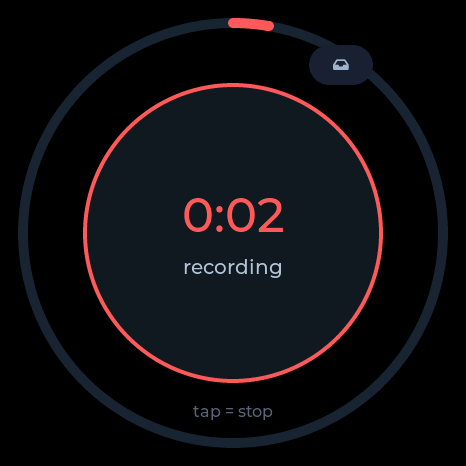
Recorder
16 kHz IMA-ADPCM straight to flash, about 52 minutes of it. Plug
the badge in, press export, and it re-enumerates as a read-only USB
drive full of .WAV files.
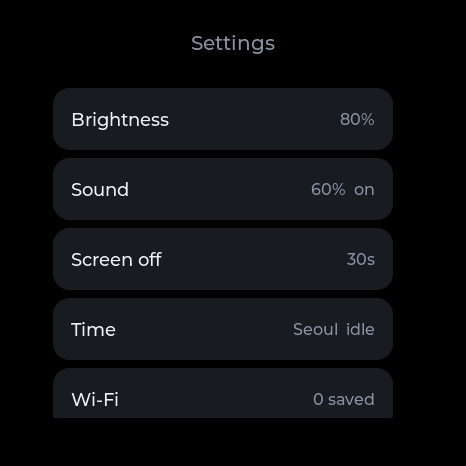
Settings
Brightness, sound, screen-off delay, time zone, Wi-Fi and Bluetooth
pairing. Every row carries its own value, so nothing has to be opened just
to be read.
Four ways of watching time
Clock, timer, stopwatch and alarm are all one app — they
are the same kind of thing, so they are four screens swiped through
vertically rather than four icons on the home screen.
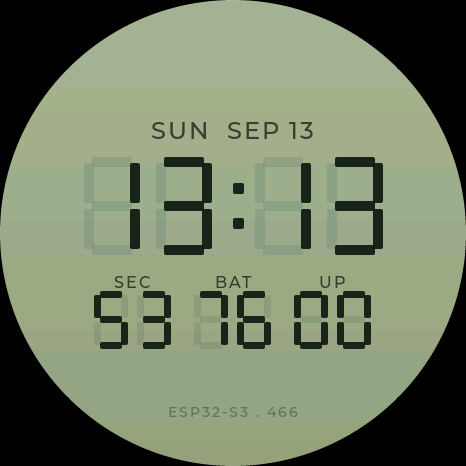
Clock
Seven segments drawn as shapes rather than a bitmap, so it is sharp at
any size. Date, seconds, battery and uptime underneath. The lock screen is
the same face, unlit.
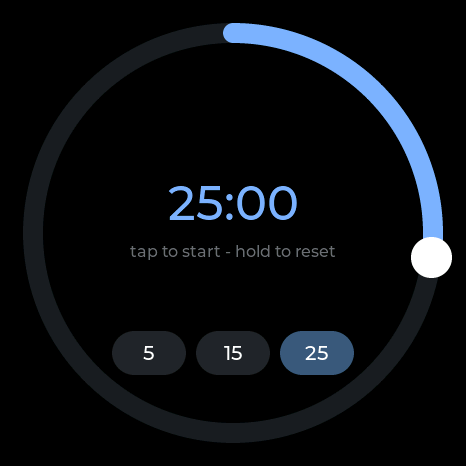
Timer
5, 15 or 25 minutes to start from. What is left is a ring closing rather
than a number to read — the one thing a round screen does better than
a rectangle. Tap to start, hold to reset.
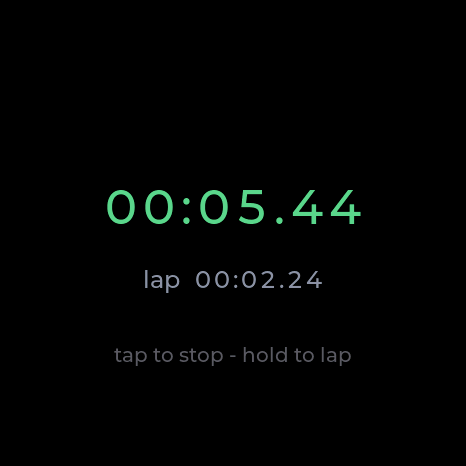
Stopwatch
Here the digits are the point, so there is no ring. Hold to take a lap.
Every character gets a fixed-width cell of its own — in one centred
label a proportional font makes the number shiver.
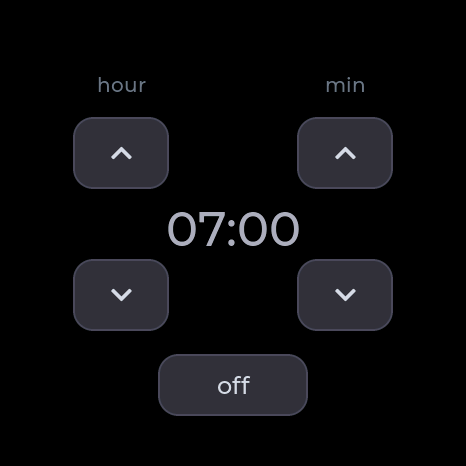
Alarm
It is watched by the launcher, not the app, so it still rings with the
app closed. And it stays quiet until the clock has been set: judging seven
in the morning against 1970 would fire the moment you plugged it in.
Games
None of them cost much — each moves a handful of shapes.
Three of the four are played by tilting the badge, which puts an IMU that is
sitting there anyway to work.
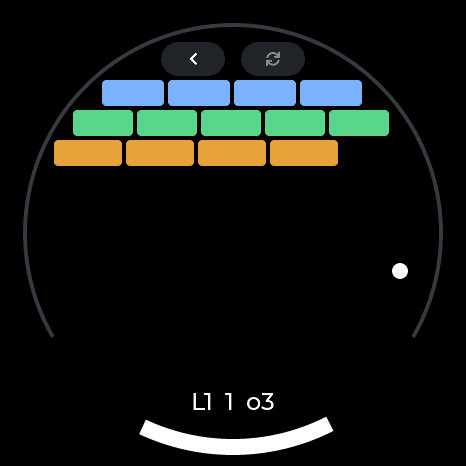
Bricks
A paddle that runs along the bottom arc and bricks laid round the circle
— a shape a rectangular screen cannot make. Five levels, and three
balls, because losing all of it to one miss is where people put the badge
down.
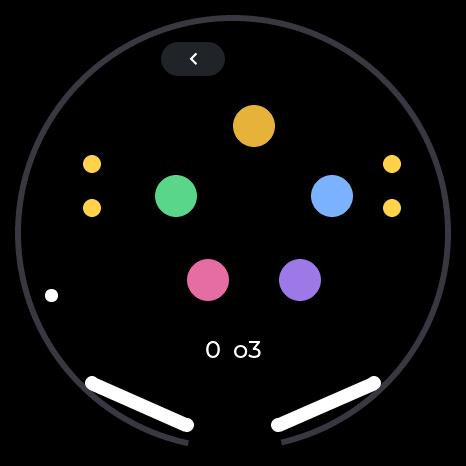
Pinball
The round screen is the table. Bumpers, drop targets, and a flipper at
each end of the bottom arc — tap the left or right half of the screen
to swing them.
Marble
Tilt to roll it. Drop it in the hole and the next hole appears somewhere
else. Nothing to it, which is the idea.
Pop
Bubble wrap. They pop on the press rather than the release, which is the
whole difference between it feeling right and feeling wrong. Then they come
back.
The board
The trailing C is not a revision. Waveshare sells a plain
1.75 as well and it is a different board — this firmware is for the
1.75C and will not run on the other one.
1.75C — this one
1.75
Case
CNC aluminium, badge-shaped
bare board
Flash
32 MB
16 MB
PSRAM
8 MB, octal — the same on both
microSD
none
TF slot
RTC
none
PCF85063
Two of those rows are load-bearing here.
32 MB of flash.The partition table assumes it, and most of
it is the recording area. On a 16 MB board the table does not fit, so a
plain 1.75 will not take this build at all — it is not a matter of
losing a feature.
No RTC.The 1.75C has no clock chip, so cutting the power
loses the time; that is the whole reason the badge goes to the network for
it. I2C on the real board answers at 18 34 40 5A 6B and nothing
at 0x51. The PCF85063 driver is still in port_esp.c
— it probes, finds nothing, and says so.
The 1.75C itself is listed two ways, With Battery and
Without Battery. Everything here was written and tested on the one with
the cell fitted; that is where the day-per-charge figure, the battery gauge and
the standby measurements come from. The firmware does not require it —
the power management chip is on the board either way — but the
battery-less one has not been tried here.
No cloud
WiFi comes up for one reason — setting the clock, and only once the clock
has gone stale — plus the scan when you first pick a network on the badge
itself. Nothing is uploaded, there is no account, no telemetry, and recordings
leave the board only when you plug it in and ask.
Recording other people is regulated differently depending on where you
are. In some places consent from one party to the conversation is enough; in
others every participant has to agree. Find out which one applies to you
before you use it.
Put it on a board
Two ways. Neither of them needs a toolchain unless you want
one.
1 · From the browser
Plug the badge in with a USB-C data cable and open the
web flasher. It wants Chrome or Edge — WebSerial is not in
Safari or Firefox. If the Connect button never finds a port, it is usually the
cable; failing that, hold BOOT, tap RESET, release BOOT.
2 · From source
You need ESP-IDF
5.5 and nothing else; every other dependency is fetched on the first
build.
git clone https://github.com/curisama/The-Badge
cd The-Badge
cp main/secrets.example.h main/secrets.h   # optional, may stay empty
idf.py build
idf.py -p /dev/ttyACM0 flash               # COMx on Windows
tools/setup.sh does the same and works out which OS you are on.
The first build pulls down roughly 20 MB of components and takes a while;
after that it is quick. Per-OS notes are in
docs/SETUP.md.
Check the board first. This is for the
ESP32-S3-Touch-AMOLED-1.75C
and its 32 MB of flash. The plain 1.75 has 16 MB and a different
board support package; the partition table will not fit it. Flashing replaces
everything on the board, recordings included.
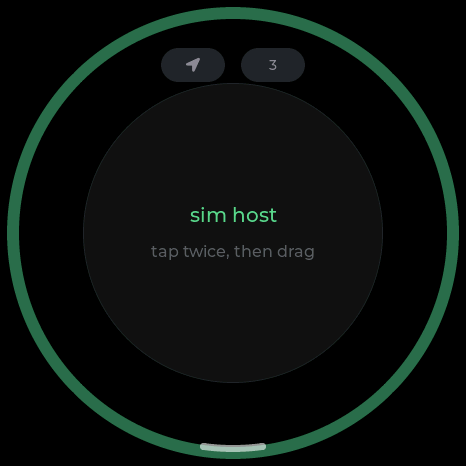
It runs on a PC too
The whole interface builds and runs as a desktop program, with a fake IMU and
a fake battery, so the tilt games and the power screens work there as well.
Most of this firmware was written that way.
python3 sim/build.py
PORT=8792 python3 sim/server.py   # then open http://localhost:8792
How it is put together
port.h— the seam. Everything hardware-specific sits behind
it; the board and the simulator each supply a half. A file outside
port_esp.c touching hardware directly is a bug.
main/apps/— one file per app.
tools/regress.sh— reads the sources, then drives the
simulator for the faults no pattern can catch. Half a minute. Not a test
suite so much as a list of scars.